App Context
App Context is a storage area shared by the whole application, useful for settings, configuration, or a value that needs to be shared across different parts of the application rather than kept on a single form.
See App Context for the full scripting API, including how its data persists across page refreshes and how it differs from Page Context and Form Context. This page covers binding a component directly to it instead.
Binding a Component to App Context
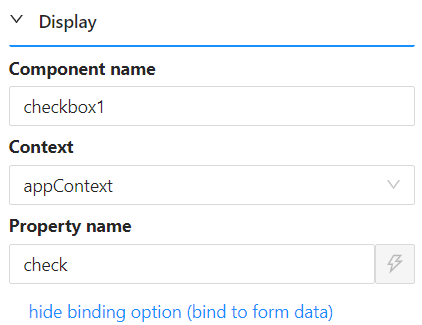
A component is bound to App Context the same way as any other context: give it a Property Name, then set its Context property to appContext.
Reading the Bound Value in a Script
Suppose a Checkbox component's Property Name is check and its Context is set to appContext, as in the screenshot above. Its value is then available anywhere in a script as:
contexts.appContext.check
Binding several components to App Context this way lets you build a form where one field's value (for example, a checkbox) drives conditional logic on others - such as changing how many fields are shown, which are required, or whether they are enabled - since every component bound to appContext shares the same storage across the whole application, not just the current form.