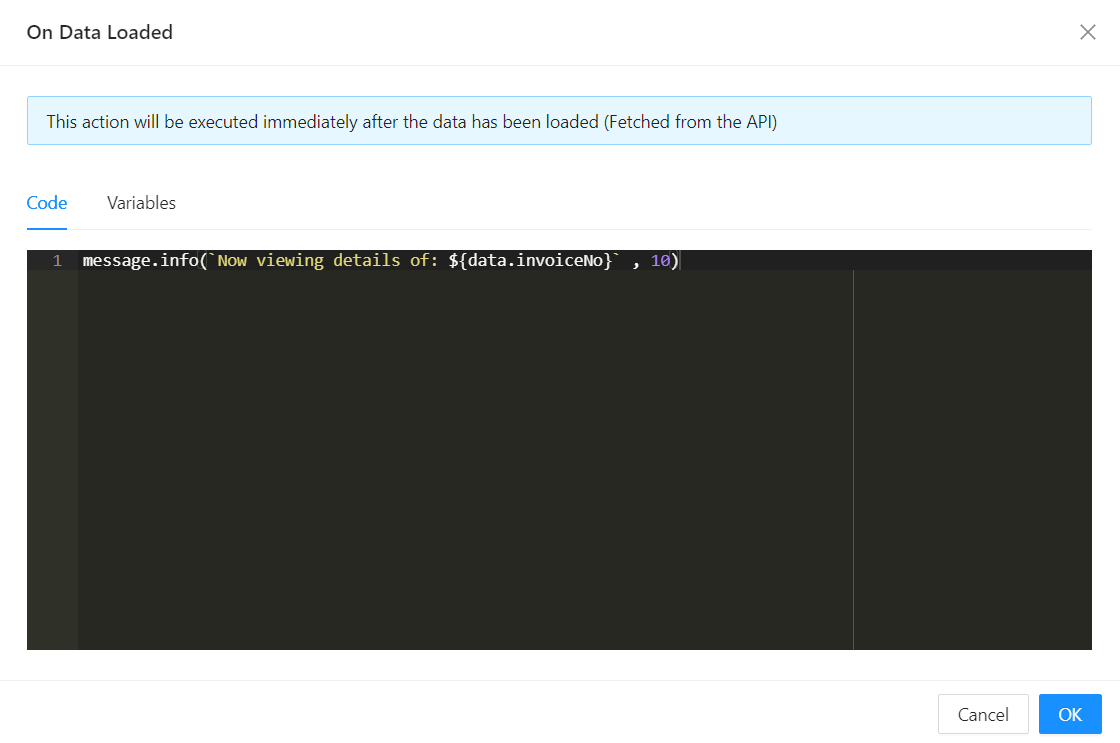
On After Data Load
Shesha's actual label for this setting is On After Data Load (onAfterDataLoad), found in the Form Settings panel's Data tab, right next to a sibling On Before Data Load (onBeforeDataLoad) setting. It's a form-level lifecycle script, not a per-component event - use it to run logic once the form's data has finished loading and has been applied to the fields.
When It Fires
onAfterDataLoad runs once each time the form loads or reloads its data - after the antd form's fields have been reset and populated with the loaded values, and after the form's data-loading state has been marked ready. onBeforeDataLoad fires just before that same data load starts, giving you a hook on both sides of the load.
Both are declared as async functions, so you can await inside them.
Form type to use: Edit Form or Details View - any form type where data is loaded for an existing record.
Example - Show a toast once the record has loaded:
message.info(`Viewing invoice ${data.invoiceNumber}`);
Available inside this script are the standard script variables also used elsewhere in Shesha (data, form, http, message, moment, globalState, and others) - see Events in the common properties for the baseline set. At this point, data reflects the values just loaded onto the form.