Component Context
Some form components expose their own data, and in some cases an API of actions, as a named entry in the contexts object, alongside the standard contexts like application and webStorage. Not every component has one - check the context list in the script editor to see what's available for the components on your form.
Finding a Component's Context
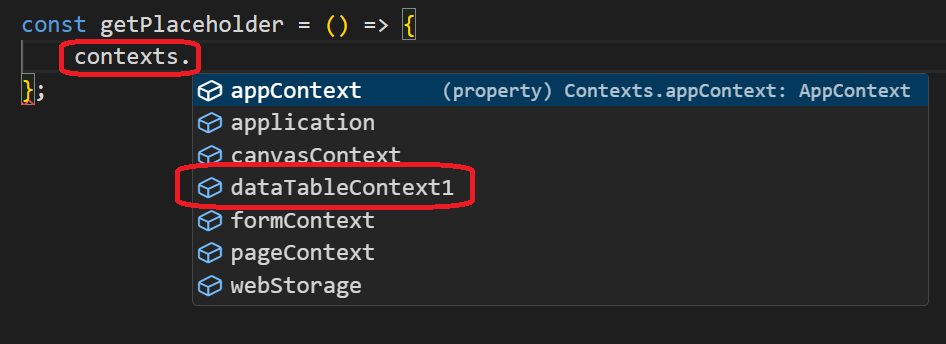
After you add a component that exposes a context to your form, it appears in the contexts list in the script editor's autocomplete, named after the component. For example, adding a DataTable Context component and a DataTable adds an entry for it to the list of contexts:
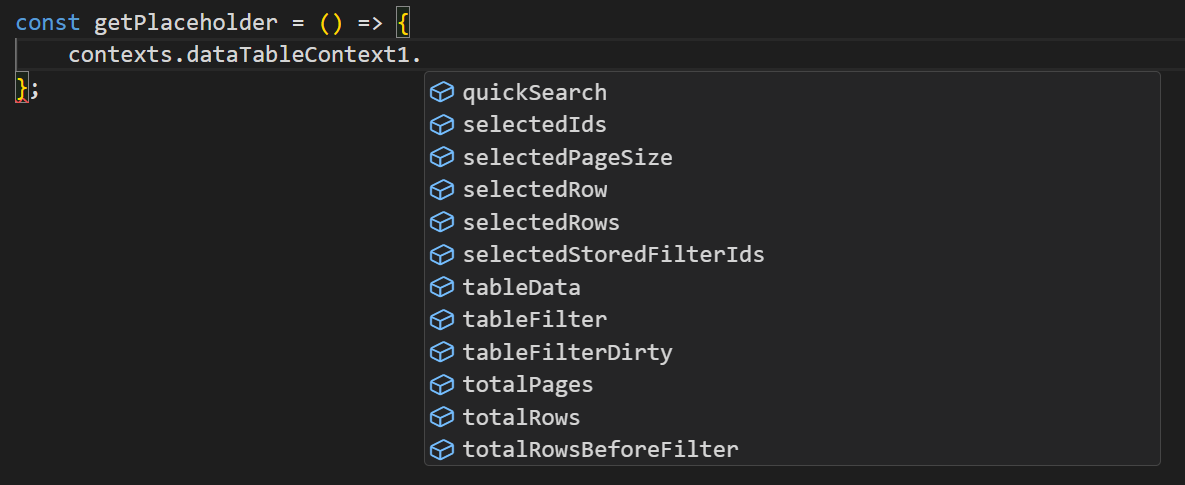
Different components expose different data and API shapes. For example, the fields exposed by a DataTable Context component:
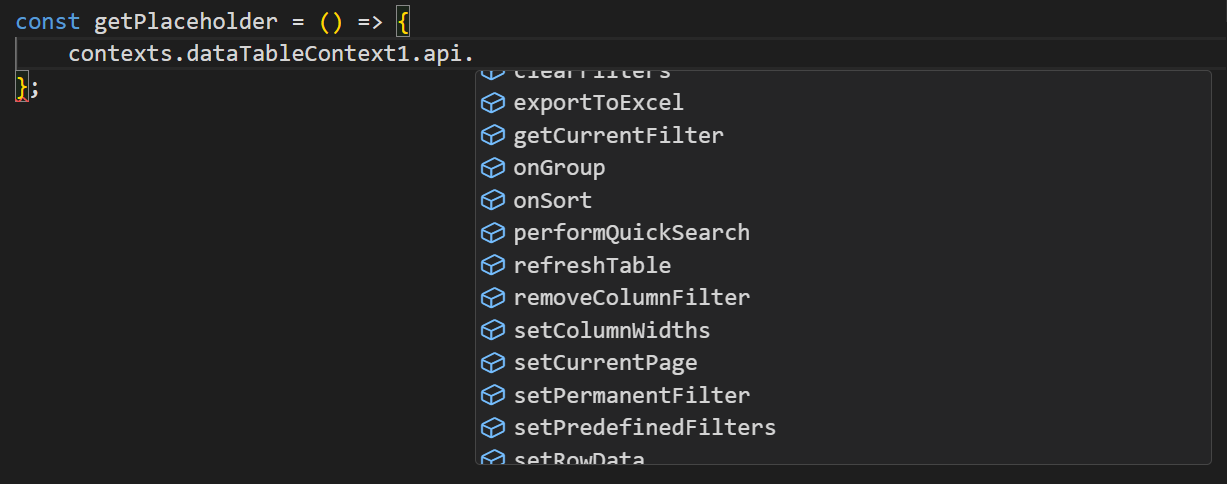
and its exposed API:
What Makes a Component's Context Available
Every component that exposes a context does so through the same underlying mechanism, DataContextBinder. The component wraps its content in a DataContextBinder and gives it:
- an id and name - the name is what shows up as the context's entry in the script editor's
contextslist (for a DataTable Context, this is the component's own Component Name); - a data object - the current state a script can read (for a DataTable Context, this is things like the current rows and selected row);
- an api object - the actions a script can call (for a DataTable Context, this includes things like refreshing the table);
- metadata describing the shape of
data/api, which is what powers autocomplete and type hints in the script editor for that context.
This is a general pattern used by several components, not just DataTable Context. For example, the Process Monitor component exposes a context with a status and an events log as data, and a clearLog action - a completely different data/API shape from DataTable Context, confirming that each component defines its own. The File Upload component's underlying file list also exposes a context the same way.
Because each component defines its own data/api/metadata, there's no single fixed list of "component context" properties to document generically - the fields and actions available depend entirely on which component you're looking at. Expand the component's entry in the contexts autocomplete list to see exactly what it offers.